
We Passed CASA Tier 2 Audit. Connecting Your AI Employee to Google and Microsoft Is Now One Click.

Until this week, connecting one of your AI employees to Gmail meant a field trip. You opened the Google Cloud Console, created a project, registered an OAuth app, picked the right scopes, pasted client IDs into a config screen, and then waited on a verification process that treats every small business like a potential threat actor. The same story played out on the Microsoft side with Azure AD. None of it was hard, exactly. It was just enough friction to make people put it off, and a connector you keep meaning to set up is a connector that does nothing for you.
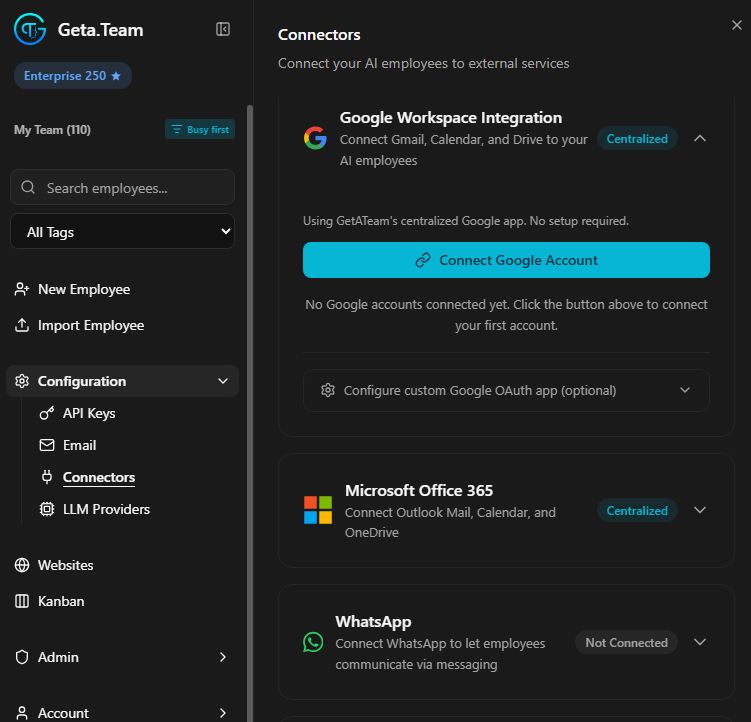
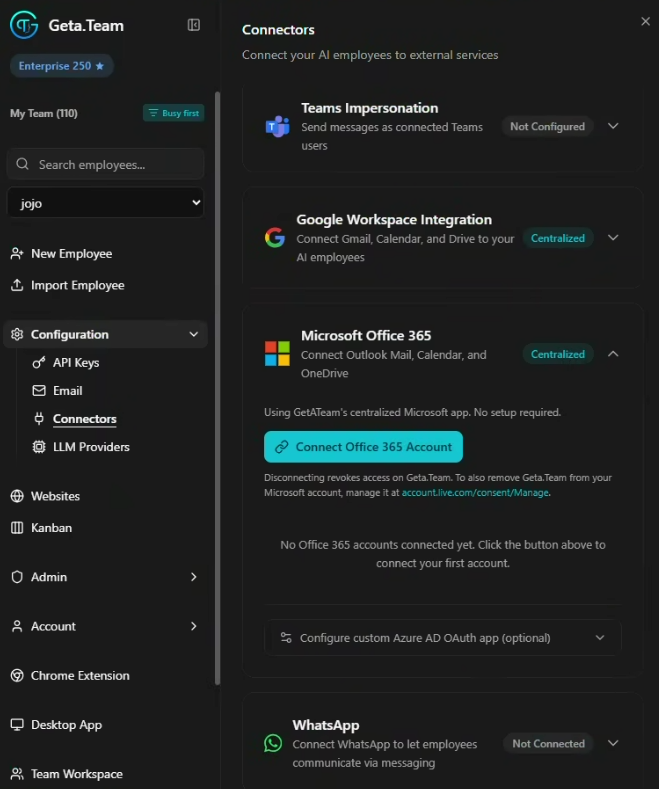
That entire detour is gone. Open the Connectors page, click Connect Google Account, sign in, assign the account to an employee. Done. Same for Microsoft Office 365. One button, no developer console, no scope wrangling, no waiting.
What actually changed
You will notice a new label on both connectors: Centralized. That word is doing a lot of work.
Centralized means the connection runs through Geta.Team's own verified Google and Microsoft applications, not one you have to stand up yourself. The line under the button now reads "No setup required," and it means it. You are no longer the app developer in this relationship. We are. You just authorize the account and pick who uses it.
For Google, that covers Gmail, Calendar, and Drive. For Microsoft, it covers Outlook mail, Calendar, OneDrive, and SharePoint. Your AI employee can read and send mail, manage a calendar, and work with files in the exact places your team already keeps them.
Why a one-click button took a security audit
Here is the part worth slowing down for, because it is the actual achievement.
Google does not hand out access to Gmail and Drive on request. Any app that touches sensitive and restricted scopes like a user's mailbox has to pass an independent security review called CASA, the Cloud Application Security Assessment. We went through CASA Tier 2, the level required for exactly this kind of access, and passed it.
Tier 2 is not a checkbox. It means an authorized third party assessed our application against the OWASP Application Security Verification Standard: how we handle tokens, how data moves, how secrets are stored, how the whole surface holds up to probing. The reason you get a one-click button is that we did the months of security work that earns the right to offer one. The convenience is the visible tip. The audit is the iceberg.
The Microsoft connector went through Microsoft's own publisher verification and app review to reach the same place: a verified, centrally managed application that any customer can connect to without building anything.
If you have read this blog for a while, you know we keep coming back to one idea: an agent you cannot trust with real data is not an employee, it is a liability. Passing CASA Tier 2 is us putting that conviction through an external auditor instead of just asserting it. You are not taking our word for the security of the connection. A third party already checked.
How it works, end to end
The flow is built around the thing that makes Geta.Team different, which is that these are individual employees, not a single shared bot.
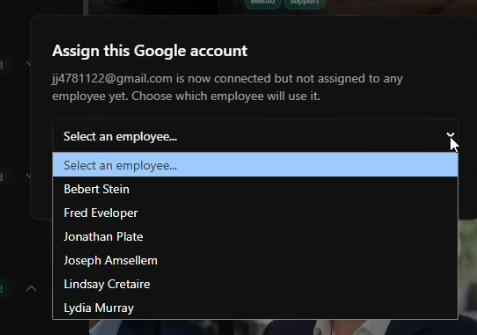
1. Connect the account. Click Connect Google Account or Connect Office 365 Account and sign in. The account shows up as connected but unassigned.
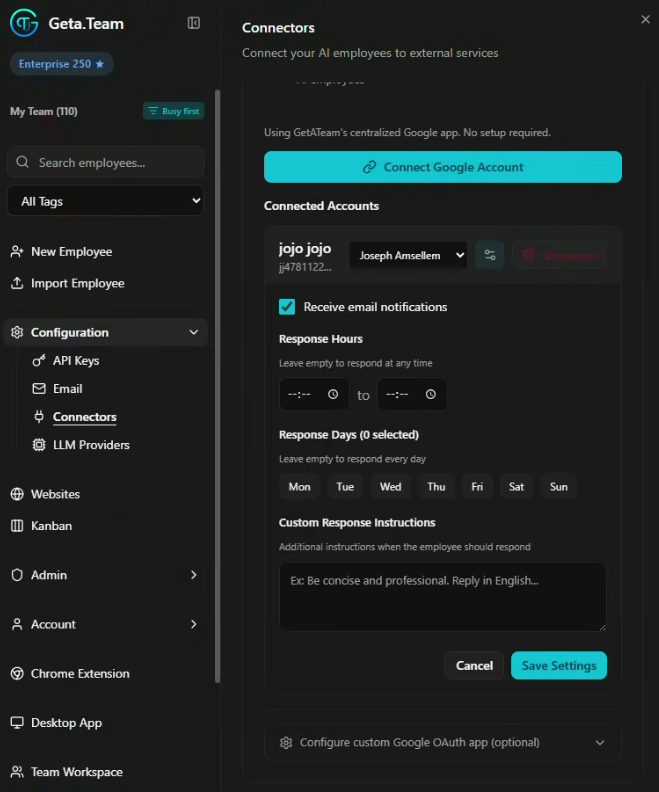
2. Assign it to an employee. A short dropdown lets you hand that mailbox and calendar to one specific employee. Jessica gets the executive inbox, Michael gets the sales alias, each with their own connection.
3. Set the rules of engagement. Per account you can switch on mail notifications, define response hours and response days so an employee only acts during the windows you choose, and add custom response instructions in plain language ("be concise and professional, reply in English").
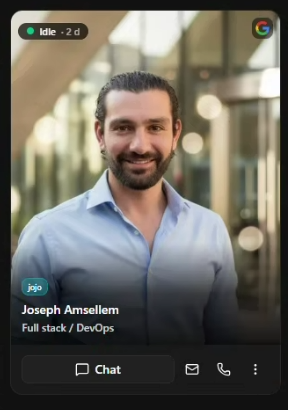
4. Read the badge. Once an employee is assigned a connector, a small provider badge appears in the corner of their card in your team list. One glance tells you who is wired into Google, who is on Microsoft, and who is not connected yet.
That assignment model matters. You are not granting a faceless automation blanket access to the company inbox. You are giving a named employee a specific account, with specific hours, doing specific work. Scoped access beats blanket access every time, and this is what scoped looks like in practice.
You can still bring your own app
Centralized is the default now, not a cage. Both connectors keep a "Configure custom OAuth app" option tucked underneath for teams that want it. If your security policy requires the connection to run through your own Google Cloud project or your own Azure AD registration, that path is still fully supported. Bring your own app, keep your own client credentials, own the whole pipeline.
This is the same philosophy behind everything we ship. Sensible, secure defaults that get you working in minutes, with the escape hatch right there for anyone who needs more control. Self-hosted by default, your data on your infrastructure, and now a connection layer that an independent auditor has already signed off on.
The friction that was quietly costing you
Think about what the old setup actually cost. Every connector you meant to configure and never did was an AI employee running at half capability, answering questions it could have just handled, drafting replies it could have just sent. The setup tax was small per connector and enormous in aggregate, because it sat between you and every integration that makes an AI employee genuinely useful.
Removing it is not a cosmetic win. It is the difference between an assistant that talks about your email and an assistant that works it. One click, and your employee is in.
Want to test the most advanced AI employees? Try it here: https://Geta.Team



