Your AI Employee Just Got an API. Here's Why That Changes Everything.

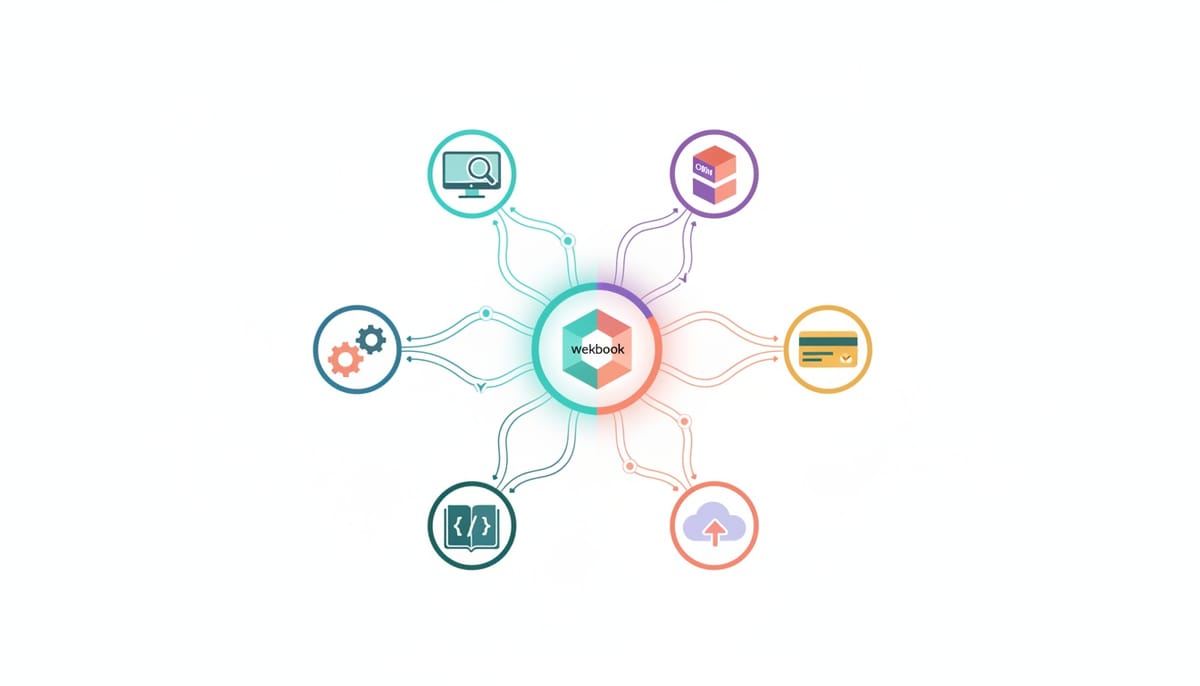
Most AI agents live in a silo. You open a chat window, type a prompt, wait for a response, and repeat. Meanwhile, your monitoring tools, CRMs, payment gateways, and CI/CD pipelines are all generating events that need someone to act on them -- and your AI agent has no idea any of it is happening.
That changes today.
Introducing Webhooks Connector
Geta.Team's Webhooks Connector turns every AI employee into an API endpoint. Any external service that can send an HTTP request can now trigger your AI agent to take action -- autonomously, in seconds, without human intervention.
Stripe processes a payment? Your AI agent handles the order confirmation. GitHub gets a push? Your agent reviews the code. Your monitoring tool detects downtime? Your agent investigates and sends the incident report before you even check Slack.
This is the bridge between your AI employees and the rest of your tech stack.
How It Works
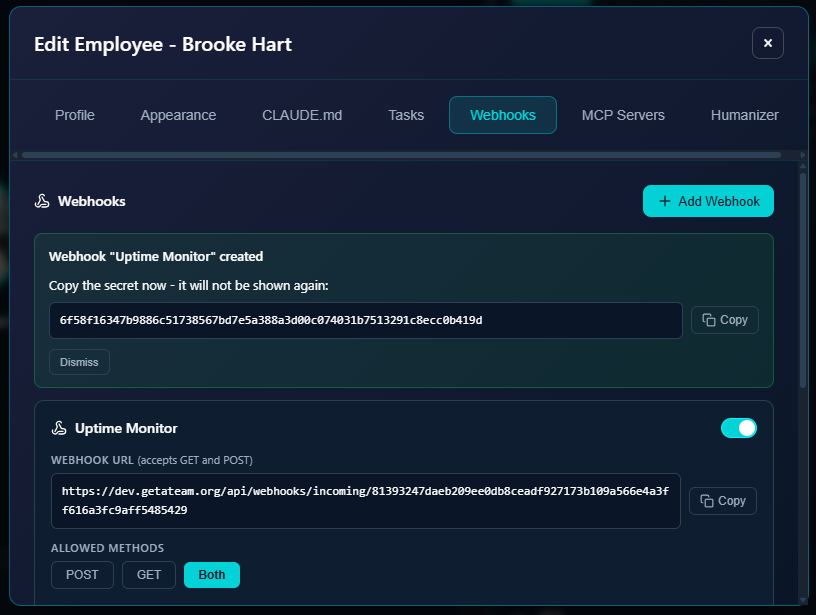
Setting up a webhook takes under a minute:
- Go to Edit Employee -> Webhooks tab
- Click "+ Add Webhook" and give it a name
- Choose your method: POST, GET, or Both
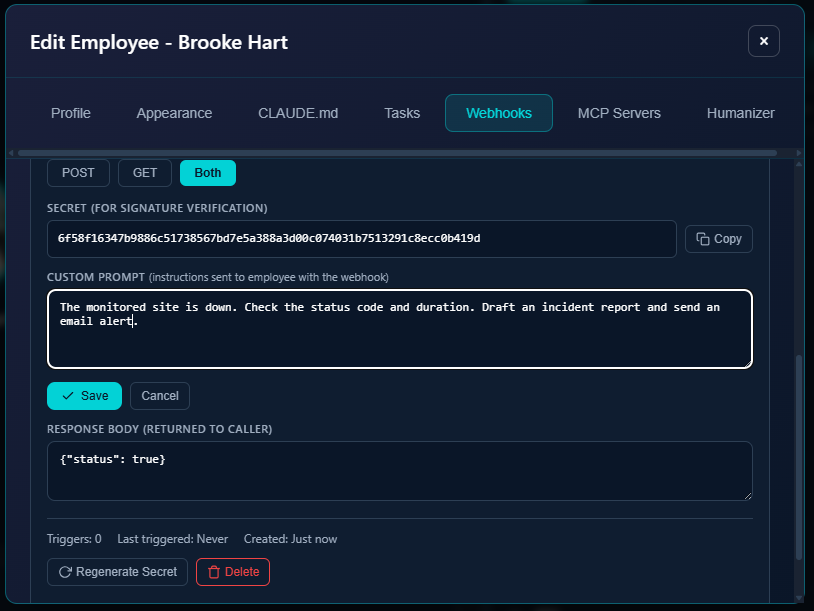
- Write a Custom Prompt -- the instructions your agent follows when the webhook fires
- Set a Response Body -- the JSON returned to the caller
- Copy the Webhook URL and plug it into any service
Every webhook gets a secret key for HMAC signature verification (shown once at creation, regeneratable anytime). You also get trigger stats -- how many times the webhook has fired and when it last triggered. And you can toggle webhooks on/off without deleting them.
The Star Use Case: Uptime Monitoring
Here's where it gets real. Let's walk through a complete example.
Agent Brooke Hart (Frontend Developer) has a webhook called "Uptime Monitor." An external monitoring service watches a production site. When it detects a problem, it sends a POST request:
{
  "event": "site_down",
  "url": "https://example.com",
  "status": 503
}
What happens next -- all automatically:
The webhook arrives in Brooke's chat as an incoming event with the full payload. She immediately starts investigating.
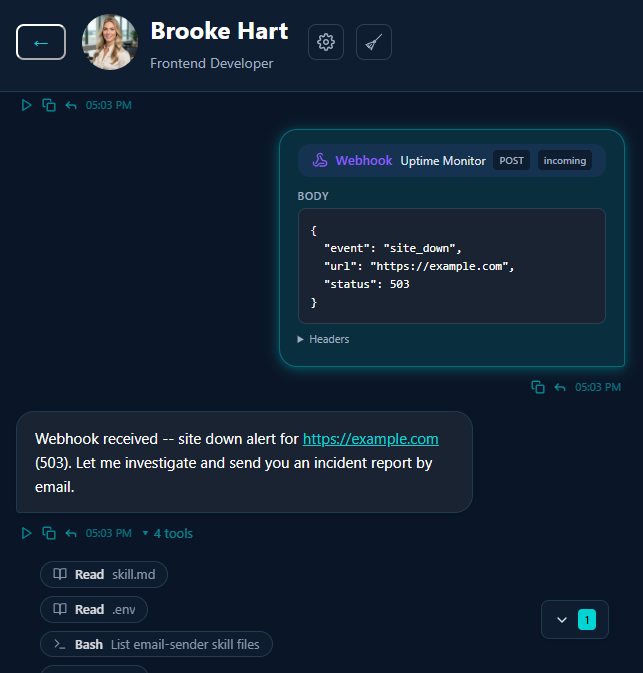
Brooke parses the payload, identifies the 503 (Service Unavailable -- typically server overload or maintenance), drafts a full incident report with assessment and recommended actions, and sends an alert email to the team. All of this happens autonomously in seconds.
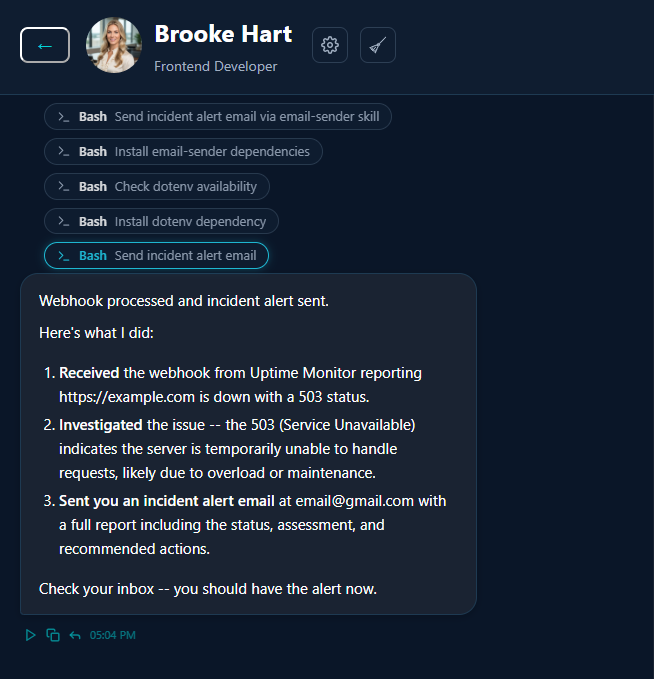
No human touched anything. The monitoring tool detected the problem, the webhook fired, and the AI employee handled the rest -- investigation, analysis, communication.
Five More Ways to Use Webhooks
E-commerce orders. Stripe or PayPal fires a payment webhook. Your AI agent processes the order, sends a personalised confirmation email, and updates the CRM. No manual order processing, no delayed confirmations.
CI/CD pipelines. GitHub sends a webhook on every push or PR. Your agent reviews the changes, runs checks, and posts a summary. Code review starts before you even open the PR.
Customer support. A form submission webhook hits your AI agent. She triages the request, sends an immediate response, and creates a ticket in your system. Response time drops from hours to seconds.
CRM integration. A new lead appears in HubSpot or Salesforce. The webhook triggers your AI sales agent to research the company, draft personalised outreach, and queue it for review. Lead response time goes from days to minutes.
Zapier / Make / n8n. Connect literally thousands of apps to your AI employees. Any automation platform that supports webhooks can now trigger your agents -- expanding their reach to every tool in your stack.
Why This Matters
The AI agent market has a fragmentation problem. Agents that only work inside their own chat window are, functionally, expensive chatbots. The value of an AI employee isn't in answering your questions -- it's in reacting to what happens in your business without you having to ask.
Webhooks Connector makes that possible. Your AI employees now sit at the centre of your tech stack, not beside it.
Every monitoring alert, every payment event, every form submission, every code push -- all of it can now reach your AI agents directly. And because these are Geta.Team employees with persistent memory, they don't just process the event in isolation. They remember the last five incidents. They know your escalation preferences. They track patterns over time.
Your AI employee is now an API endpoint. What will you connect first?
Try it at Geta.Team.