Anatomy of an AI Employee: What's Actually Running Under the Hood

Most teams building "AI employees" start with a chatbot and a dream. Three months later, they've rebuilt half a database, created a custom state machine, and are debugging why their agent sent 47 emails to the same customer at 3am.
The gap between a working demo and a production AI employee isn't code quality — it's architecture. Here's what's actually running under the hood when an AI employee works reliably.
The Four Systems You Can't Skip
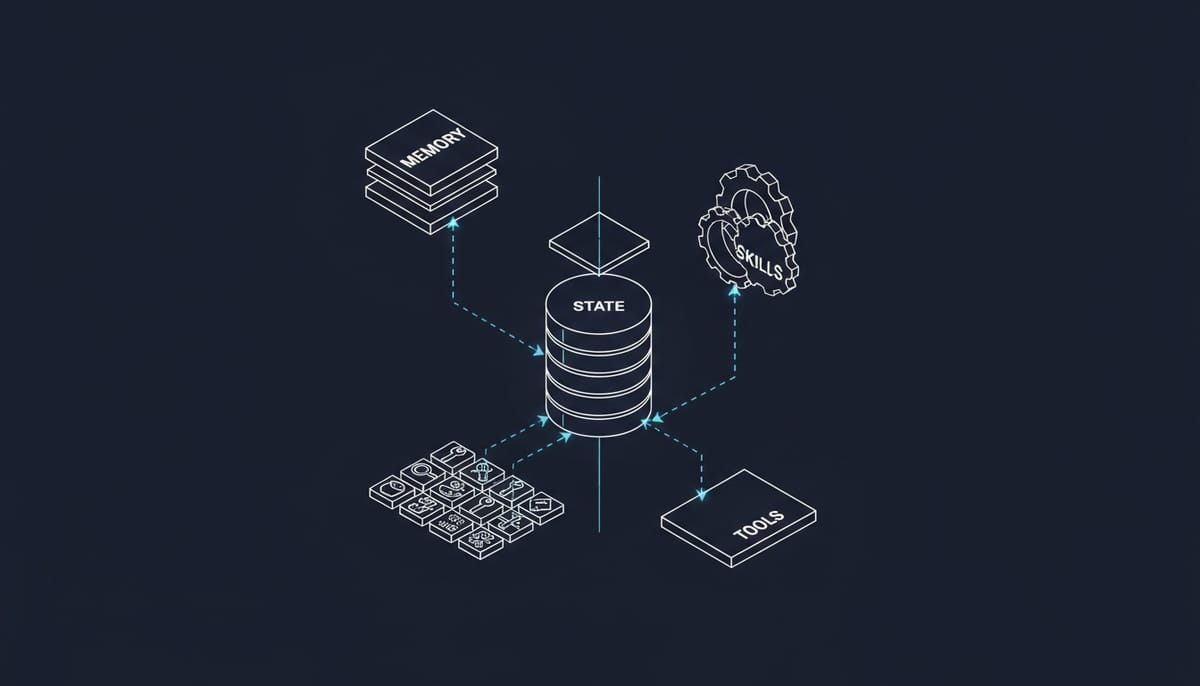
Every AI employee that survives production has four core systems: memory, skills, state, and orchestration. Skip any one of them, and you'll find out why the hard way.
1. Memory: The Foundation Everyone Underestimates
An AI assistant has context. An AI employee has memory.
Context is what you paste into a prompt window. Memory is what makes your AI employee remember that Sarah from Acme Corp prefers email over Slack, hates being cc'd on threads, and mentioned her daughter's soccer tournament three weeks ago.
Most teams start with RAG (Retrieval-Augmented Generation) — throw everything in a vector database, retrieve relevant chunks, hope for the best. It works for knowledge bases. It fails for employee-like behavior.
Production memory systems need three layers:
- Episodic memory: Specific interactions, conversations, events. Indexed by time, participant, and context.
- Semantic memory: Facts, preferences, relationships. Updated continuously as new information emerges.
- Working memory: Current task context, active goals, recent decisions. Cleared when tasks complete.
The hard part isn't storage — it's retrieval strategy. When your AI employee gets a message from Sarah, it needs to pull: recent conversation history, Sarah's communication preferences, Acme Corp's contract status, and any pending tasks related to her. That's four different query patterns hitting different memory stores, all within latency budgets.
2. Skills: Not Just Tool Calling
Every AI framework advertises "tool use" like it's a solved problem. Define a function, describe it in JSON, let the model call it.
That works for demos. In production, skills are systems:
Skill = Tool + Validation + Error Handling + State Updates + Audit Trail
When your AI employee sends an email, it's not just calling sendEmail(). It's:
- Validating the recipient exists and is appropriate
- Checking rate limits (don't spam)
- Verifying the content doesn't violate policies
- Recording the action in a persistent audit log
- Updating relationship state (last contact timestamp)
- Handling failures gracefully (retry? escalate? notify?)
Skills also need composition. Real tasks require chaining: research a company, draft an email, check the calendar for availability, propose meeting times, send the email, create a follow-up reminder. That's five skills coordinating with shared context.
The teams that ship fast often extract skill execution into a separate layer with its own state machine. Skills become declarative — the AI decides what to do, but the skill executor handles how it runs reliably.
3. State Management: The Hidden Complexity
Human employees have something AI struggles with: knowing where they are in a process.
A customer success manager doesn't forget they're in the middle of an onboarding sequence just because they answered an unrelated email. They have implicit state — mental models of active projects, pending tasks, in-progress workflows.
AI employees need explicit state. And not just "current task" state — multi-dimensional state across:
- Task state: What am I doing right now? What's the next step?
- Conversation state: What topic are we discussing? What was already covered?
- Workflow state: Where does this fit in the larger process?
- Resource state: What tools are available? What's rate-limited?
State management gets genuinely hard when you add concurrency. Your AI employee might be handling three email threads, one Slack conversation, and a scheduled report — simultaneously. Each needs isolated state with the ability to share context when relevant.
Most production systems end up building something resembling an actor model, where each active task or conversation is an independent state machine that can send messages to others.
4. Orchestration: Making It All Work Together
Orchestration is where demos become products.
When a message arrives, your AI employee needs to:
- Route it to the right handler (is this a new task? continuation of existing work? system notification?)
- Enrich it with relevant memory and context
- Plan the response (single action? multi-step workflow?)
- Execute with proper skill invocation
- Update all relevant state and memory
- Respond with appropriate urgency and channel
That's a pipeline, and each step can fail. Good orchestration handles failures without losing work, maintains consistency across systems, and keeps latency acceptable.
The orchestration layer is also where you implement human oversight. When should the AI ask for help? When should it notify a human? What actions require approval? These aren't AI decisions — they're policy decisions enforced by the orchestrator.
Why Teams Underestimate This
The demo trap is real. Modern LLMs are so capable that a weekend project can produce impressive results. You prompt Claude or GPT-4 with context, it responds intelligently, and you think you're 80% done.
You're 20% done. The remaining 80% is:
- Making it reliable (same inputs, consistent outputs)
- Making it persistent (survives restarts, maintains history)
- Making it observable (know what it's doing, why it failed)
- Making it safe (doesn't email your entire customer list)
- Making it scalable (handles many tasks, many users)
Each of those requirements compounds with the others. Reliable + persistent + observable + safe + scalable means building distributed systems, not chatbots.
The Build vs. Buy Question
Should you build this yourself?
If AI employees are your core product: probably yes. You'll want control over every layer, and the investment matches the strategic value.
If AI employees are a capability you need: probably no. The engineering investment is 6-12 months of senior engineers before you have something production-ready. That's not counting ongoing maintenance as models evolve and requirements change.
The honest answer is that most teams overestimate their ability to ship fast and underestimate the maintenance burden. Starting with an existing platform and customizing is usually faster to production than building from scratch.
Building AI employees at Geta.Team, we've learned these lessons the hard way. If you're evaluating whether to build or buy, we're happy to share what we've learned — even if you end up building yourself.
Want to test the most advanced AI employees? Try it here: https://Geta.Team