
Why Most Computer-Use Agents Fail, and What Makes One Reliable

The benchmarks tell a confusing story. On OSWorld, the standard test for agents that operate a real computer, the best systems now score around 82% while well-known names sit down at 22 to 38%. Stanford's AI Index shows the field as a whole jumping from 12% to 66% task success in a year. Same technology, wildly different results. The spread is not random, and understanding it tells you almost everything about why some computer-use agents feel magical and others feel like a liability.
Here is what actually separates them.
Pixels versus structure
The first and biggest divide is how an agent perceives the screen.
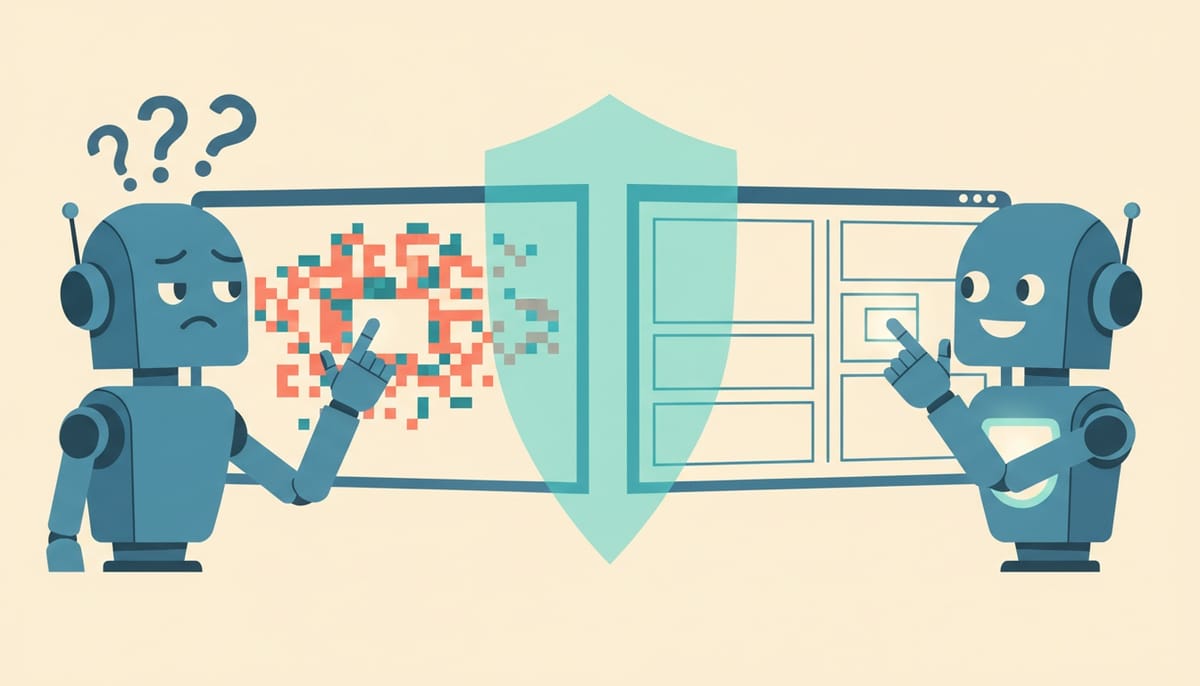
The naive approach is to take a screenshot, run it through a vision model, and ask "where should I click?" The model returns coordinates, the agent clicks there. This works in demos and falls apart in production, because it is guessing at pixels. The button moved twelve pixels after a window resize? Misclick. The screen is a slightly different resolution than the training data? Misclick. A tooltip is covering the target? Misclick. Vision-only agents are brittle for the same reason a person clicking with their eyes closed after memorizing the layout would be brittle.
The reliable approach reads the screen's actual structure. Every modern operating system exposes an accessibility tree, the same machinery screen readers use, which describes what is on screen as real objects: this is a button, it is labeled "Save", it is here, it is enabled. An agent that reads this tree targets the actual Save button by identity, not by guessing where Save happens to be painted. When the window resizes, the button is still the button. This single architectural choice accounts for a huge share of the benchmark gap. It is also why our own Desktop App reads the accessibility snapshot rather than just screenshotting and hoping.
Screenshots still matter (some things genuinely are visual), but as a supplement, not the primary sense.
Brittle scripts versus adaptive planning
The second divide is what the agent does when reality does not match the plan.
A weaker agent effectively records a sequence: click here, type this, click there. It is RPA with an AI coat of paint, and it breaks the moment anything is out of order. A dialog you did not expect pops up, and the agent plows ahead clicking where step three was supposed to be.
A stronger agent re-checks the actual state of the screen before each action and decides the next step from what is really there, not from what it expected. Unexpected dialog? It reads it, deals with it, continues. This is the difference between following directions and actually navigating, and it is why adaptive agents survive the long-tail situations that benchmarks increasingly include and real work is full of.
The 34% is mostly the hard, dangerous part
When an agent scores 66%, it is tempting to round up to "basically works". The skeptics calling computer use overhyped have a point worth taking seriously: the remaining third is not evenly distributed. It clusters around exactly the tasks where a mistake is expensive, the multi-step flows, the irreversible actions, the ambiguous moments where the agent has to make a judgment call. The easy 66% is "rename these files". The hard 34% includes "submit the payment".
This is why raw success rate is the wrong thing to optimize for alone. An agent that is 95% reliable on safe, reversible tasks and asks for help on the risky ones is far more useful in practice than one that is 70% reliable across the board and confidently wrong on the dangerous 30%. Capability without calibration is how you get the horror stories.
Safety is not a feature bolted on, it is what makes it usable
Which brings us to the part that separates a tech demo from something you would actually let touch your machine. An agent that can control your computer is only an asset if you stay in control, and that requires real scaffolding underneath.
The pieces that matter, roughly in order of importance:
- A hard denylist for the catastrophic. Some actions (formatting a disk, mass-deleting files, wiping system directories) should never happen, full stop, regardless of what the agent concludes. This is non-negotiable and it is not a confirmation prompt, it is a wall.
- Confirmation tiers for the merely risky. Anything consequential but legitimate should pause and ask, in real time, before acting. The agent proposes, you approve.
- Capability switches. Reading the screen, moving the mouse, touching files, running shell commands are different levels of trust. You should be able to grant some and withhold others.
- User-presence yield. The moment you start typing, the agent should back off. You are never wrestling it for the keyboard.
- An append-only audit log and a kill switch. You need to see what it did after the fact, and stop everything instantly in the moment.
- Privacy at the perception layer. If the agent reads the screen, password fields and sensitive windows should be redacted before anything leaves the machine.
None of this is glamorous, and it is exactly what the impressive-benchmark-but-no-guardrails agents skip. Reliability and safety are not separate from capability; for anything you would run unattended, they are the capability.
What to actually look for
If you are evaluating a computer-use agent (ours or anyone's), the benchmark number is the least interesting thing about it. Ask how it sees the screen: structure or pixels. Ask what it does when something unexpected happens: re-plan or plow ahead. Ask what it physically cannot do, and how you stop it. Ask whether you can see, afterward, exactly what it did.
The agents that win the next few years will not be the ones with the flashiest OSWorld score. They will be the ones you can hand the keyboard to and not lie awake about, because they perceive accurately, adapt sensibly, and stay inside walls you set. The intelligence was never the hard part. The trust is.
Want to test the most advanced AI employees? Try it here: https://Geta.Team



