v3.0.0: Video Call Your AI Employees, Change Their Look Live, and Full OAuth Support for MCP Servers

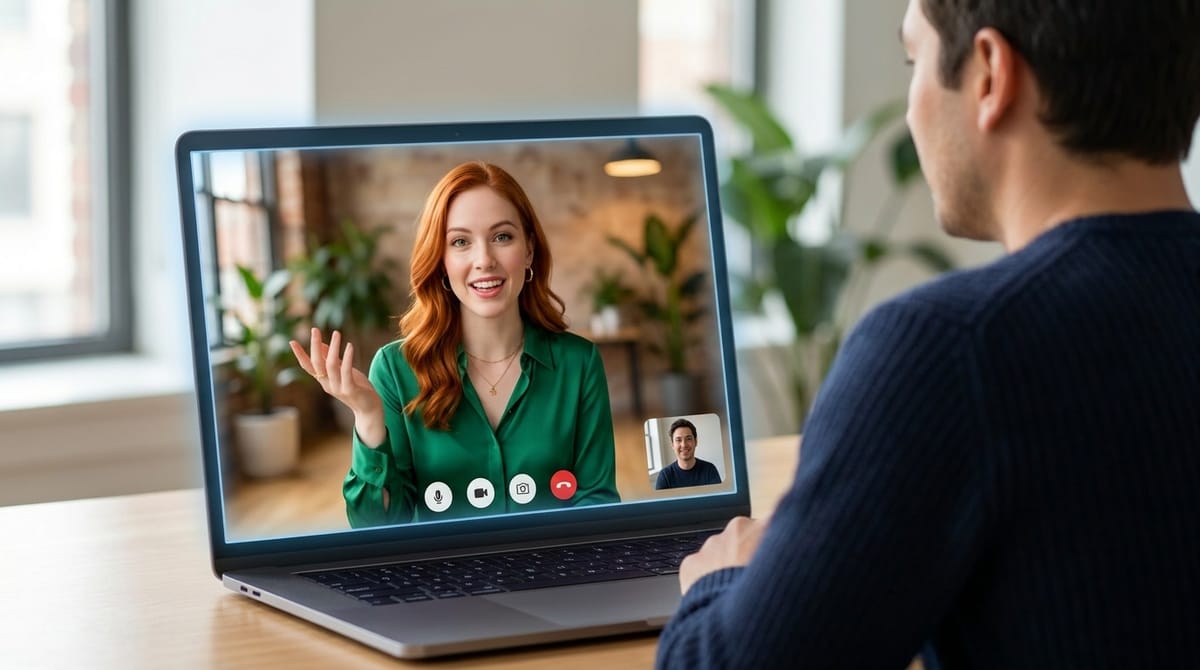
Version 3.0.0 is the first major version number we've shipped in a while, and it earns it. Your AI employees can now pick up a video call, look you in the eye while they talk, and change outfits when you ask. Underneath the showpiece there's something more practical too: full OAuth support for MCP servers, so Notion, Linear and any spec-compliant server connect with one click, and a set of honesty rules no call instructions can override.
Video call your employees
In the chat sidebar, Video calls now sits right below Voice calls. Click Video call with ‹name› and your employee answers with a live, lip-synced face, generated in real time from their profile photo. There's nothing to set up per employee: the photo is the avatar.
A video call is a voice call with a face on top. Same tools, same memory of the conversation, same language and voice. If you don't need the face, the regular voice call is still right there.
The call opens in the right-hand panel. The video fills the top half, framed so the face is never cropped, and the bottom half shows a live transcript of both sides, so you can see you were understood. Mute, record, voice and hang-up sit on a small bar over the video. It rings, it chimes when they answer, and only then does your microphone open, like a real call.
Ask them to change their look
This is the part people will play with first. Ask your employee to put on a different outfit, try a new hairstyle, grab sunglasses or a glass of champagne, or move to Tokyo at night. The new look appears on the video about ten seconds later, and changes stack. "Go back to normal" brings the usual look back.
We spent real time making this feel natural rather than gimmicky:
- They only change when you actually ask. "I love it" is a compliment, not a new request.
- A change you ask for once is made once, even if you rephrase it while it's on its way.
- If a change can't be made, they tell you honestly, and a short notice shows on the video. Some things are off-limits for the image model (changing the face itself, or brand and celebrity names), and your employee knows that, so it offers the rest of your request instead.
Recordings and a proper call history
Flip Record this call before you start, or hit REC during the call. The recording has the video and both voices, and it saves as the call goes, so closing the tab loses at most a few seconds.
Every look generated during a call is kept in the employee's files, with the request that produced it. The video call history opens each call in two columns: the recording and its looks on the left, the full transcript on the right.
Video minutes you control
Video avatars are billed by the minute, so video calls are budgeted per user. Admins have unlimited minutes. Everyone else gets the monthly allowance an admin gives them, set in Settings > Admin > Video Calls, where you can also see who used what this month. If someone runs out mid-call, the video stops and the conversation carries on as a voice call.
Video calls use LemonSlice for the avatar, so you'll need a LemonSlice API key on a paid plan, saved in Settings > API Keys. The feature is Enterprise-only and isn't available on the free tier. On the billing side, the avatar session always closes the moment a call ends, however it ends: hang-up, closed tab, crash or lost connection. You never pay for a call nobody is on.
Full OAuth support for MCP servers
Employees can now use MCP servers that authenticate with OAuth, such as Notion, Linear, Elestio, and any server that follows the MCP authorization spec. Add the server's URL in the employee's MCP settings, click Connect, sign in in the pop-up, and it turns into Connected. No app to register by hand.
Tokens are stored encrypted on the server and never reach the employee's workspace; they're added on the way out, only when the server is actually used. Your existing MCP servers keep working exactly as before, and Restart to apply now reloads the chat on its own.
Calls that know Geta.Team, and stay honest
Ask an employee on a call how to connect Gmail, add a skill or find a setting, and it now looks it up in the Geta.Team documentation, the same way Nova does, and walks you through the steps one at a time.
Two rules now close every call's instructions, for in-app voice, video and phone calls alike. The employee never claims to be a human; asked directly, it says plainly that it's an AI, keeping its name and personality. And it never makes up an answer to please you; if it doesn't know or the task isn't finished, it says so and offers to check. These rules come after everything else, so no profile or call script can override them.
Better calls all round
Voice and video calls sound cleaner, with the small gaps and clicks smoothed out and no more stutter when a task is running in the background. Memory now works in browser calls, calls know today's date, and results are only announced once the work is actually done, not when it starts.
Smaller improvements
- Admins can show hidden files on another user's employee.
- Deleting a conversation now works for every employee, including ones on a custom LLM.
- An incoming email or delegation no longer disturbs the conversation you have open.
- New self-hosted instances ask for the Gemini API key during setup again.
Video calls are the headline, but the part we're proudest of is quieter: an AI employee you can see, that tells you what it is and what it doesn't know.
Want to test the most advanced AI employees? Try it here: https://Geta.Team