v3.1.0: The Geta.Team Interface Now Speaks Eight Languages, Incoming Email Stops Eating Your Budget, and an Export Finally Carries the Whole Employee


Three big things in this one. The app itself now works in your language, incoming email stops quietly eating your budget, and an exported employee finally arrives somewhere else still being itself.
One thing worth being clear about before we start: your employees already speak around a hundred languages, and always did. That was never the limit. What was stuck in English was everything around them, the buttons, the panels, the setup guides and the emails we send you. That is what changed.
The interface speaks eight languages
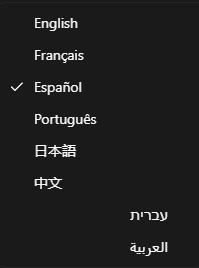
English, French, Spanish, Portuguese (Brazil), Japanese and Chinese, plus Hebrew and Arabic.
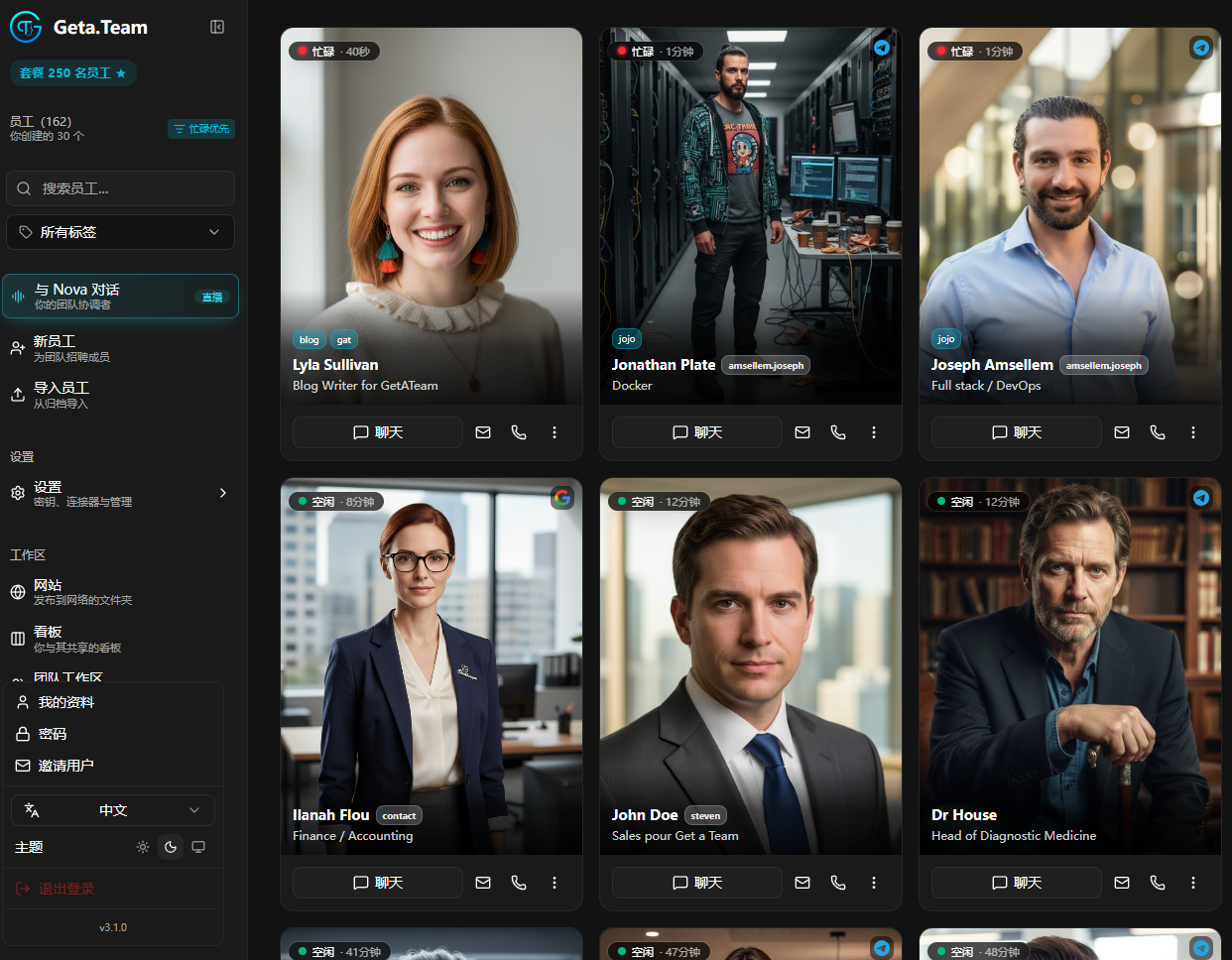
The whole web app is translated, including the connector setup guides for Slack, Teams, Google, Office 365, Telegram and Twilio. Those were translated as whole sentences rather than assembled from fragments, so each language keeps its own word order and nothing reads like it came out of a machine. Where a guide tells you to click a button in somebody else's console, the button keeps its English name, because that is what you will actually be looking at on screen.
Hebrew and Arabic flip the layout. Right to left is not a font setting. The sidebar, panels, menus, arrows and text direction all follow.
Picking a language. On the login page, or from the user menu once you are in. On a first visit we follow your browser, falling back to English. Your choice is saved to your account, so it travels with you from one device to the next. While you are there you will find the theme picker has moved up next to it, out of the bottom of the sidebar and into the user menu.
Your browser formats the details. Dates, times, weekdays, schedules such as "Every Mon, Wed at 09:00", durations, "3 min ago", country and language names. Counts follow each language's own plural rules, which means one form in Japanese and six in Arabic, handled properly rather than bolted on with an "(s)".
The catalogues came too. Expert profiles in the hire catalogue, personality traits, the pre-filled nationality and city, the suggestions in an empty conversation, and the descriptions of built-in skills and the MCP catalogue.
So did the emails we send you. Verification codes, invitations and their reminders, and password resets arrive in the language of the page they were requested from, or the one saved on your account. Hebrew and Arabic emails are laid out right to left.
Pages that live outside the app follow your browser instead: the extension sign-in confirmation, the MCP connection result, and the 404 on a published website.
What stays in English on purpose: server messages, the text sent to the AI models, the skills.sh marketplace, and your employees' names.
Not in this version: the chat widget, the browser extension and the desktop app.
Incoming email stops costing you a fortune
Until now, an email arriving through Gmail or Outlook reached your employee whole. Every newsletter, every legal footer, every threaded quote of a threaded quote sat in the conversation afterwards and was paid for again on every single turn.
That changes completely.
Every email is now kept on disk, in its own folder with its attachments, and your employee can go back and read or search them whenever it needs to.
What reaches the conversation is the sender, the subject and the first lines, plus the path to the full thing. Notifications, newsletters and automated mail are recognised from those lines and left where they are. The full email gets opened only when there is actually work in it. A short email that fits in those lines is passed along whole, so it is answered immediately with no extra step.
You still see everything. The chat shows the full email, read from the file.
And the guardrail still reads all of it before anything is stored or delivered. A withheld email is neither kept nor passed on.
A proper Mail panel
The other half of this is a new Mail panel that behaves like a mail client. A column lists every mailbox your employee has, its own address plus each connected Gmail and Outlook account, each with its icon, its real address and a count per folder. Click a folder and you get search, the full email and its attachments. On a phone the column folds down into a compact mailbox picker. Senders get their initials, dates follow your interface language, and even "no subject" is translated.
One small Outlook improvement while we were in there: an email your connection settings tell it to ignore, because notifications are off or it arrived outside your chosen days or hours, no longer downloads its attachments.
Export and import now carry the whole employee
An export used to be a bit of a disappointment. You got the files and the employee's name, email, skills and language, and everything living in the database stayed behind.
Now there is a Data section in the export, one tick box per category, all on by default: settings such as role, voice, memory reminder and suggestions, the heartbeat with its checklist, kanban, tags, saved prompts, contacts, webhooks, MCP servers and the chat widget. Categories you have nothing in are simply not shown.
The import restores whatever the archive is carrying, with the same boxes if you want to leave some out. If one category cannot be restored, it says so and gets on with the rest.
You can rename on the way in. First and last names can be changed before importing, and the email, folder, CLAUDE.md and skills all follow. A name already in use on that instance is flagged rather than the whole archive being refused.
What stays behind, by design: connectors, phone numbers and published websites. Webhooks come out with new URLs and secrets, and MCP servers using OAuth need connecting again. Contact details and MCP keys travel in clear inside the archive, which is stated next to their tick box, and are encrypted again by whichever instance imports them.
Also fixed
- Activating a license, or having one pushed by the SaaS backend, no longer needs an app restart before the extension, desktop app, email, heartbeat and connector renewals wake up. Everything now starts the moment the instance becomes Enterprise, across every process. Saving DKIM settings reaches every process too.
- Email attachment locations are now given as the employee actually sees them
- A link to a
team-shared/file now opens the Team shared panel on that file, instead of an explorer where it could not be shown - Outlook emails in chat no longer repeat their From, Subject and Received header above text that already sits in the card
- Published websites show your latest change on a simple refresh. Files were being cached in visitors' browsers for up to four hours, so a change could take most of an afternoon to appear
- Employee first and last names now need Latin letters, with accents, hyphens and spaces allowed, and the form says so up front. The name becomes a folder and an email address, so a name written only in Hebrew, Arabic or Japanese used to make hiring or renaming fail
- The locked entries in the free tier Configure panel are recognised by identifier rather than by their label, so translating the interface cannot accidentally unlock them
- The icons beside Nova's actions no longer depend on English wording, so they stay correct in every language
We also removed the old full-screen video call, which had not been reachable from the interface for some time, along with an unused help window. Today's video calls are untouched.
Want to test the most advanced AI employees? Try it here: https://geta.team