v3.1.1: Give Every Conversation Its Own Background, German and Hindi Join the Interface, and Email Cards Stop Filling the Screen

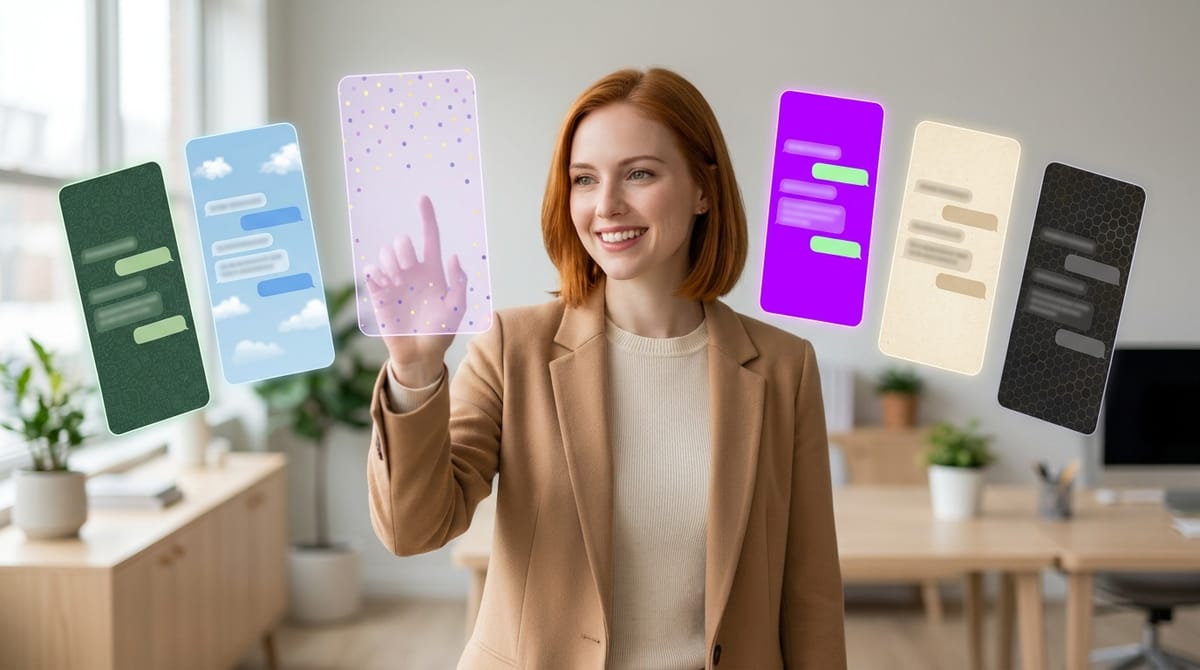
Two languages, a lot of colour, and an email card that no longer swallows your screen.
Every conversation can have its own background
If you have ever set a wallpaper in WhatsApp, you already know what this is. Open Configure, then Chat background, and pick the backdrop for your conversation with an employee.
There are 34 patterns to choose from: dots, confetti, waves, honeycomb, Japanese waves and plenty more. Each takes its own colour on top of a background colour of your choosing. Or upload your own image, JPG, PNG or WebP up to 5 MB, with an intensity slider and a blur if the picture is busy.
Everything previews live in the conversation behind the panel as you click, so you are choosing against your real messages rather than a swatch. Close without saving and your previous background comes straight back. Set the colours to Automatic and they follow your light or dark theme.
The choice is yours alone. If you share an employee with colleagues, everyone keeps their own background. Nobody inherits your taste in honeycomb.
When a background is on, the layout adapts so nothing becomes unreadable: each turn sits on its own card, your message with its time and actions, and the employee's thinking, tools, answer and actions together on one. The message box gets the same treatment. Messages arriving from a channel, so WhatsApp, Slack, Gmail, Outlook, Telegram, Discord, Teams or a webhook, keep their own distinct look and top glow, with their time tucked inside.
And six ready-made themes
If you would rather not assemble a look yourself, there are six, each in light and dark: Classic green, Cloud blue, Blue bubble, GAT neon, Paper and Lavender. The first two will feel familiar if you spend your day in the big messaging apps.
A theme sets your bubble colours, the message box and a background in one go, and you can still swap the background afterwards while keeping the rest. Inside a conversation, a theme takes precedence over a white-label stylesheet.
Your theme, pattern and colours travel with the employee when you export it. An uploaded image stays behind.
German and Hindi bring the interface to ten languages
The whole web app is now available in German and in Hindi, written in Devanagari, including the connector setup guides. Pick either from the login page, from the user menu, or let your browser choose on a first visit.
Translated along with the interface: plural forms, the expert profiles in the hire catalogue, the suggestions in an empty conversation, the platform emails such as verification codes, invitations and password resets, and the pages served outside the app. Product names and the buttons of third-party consoles stay in English, as everywhere else, because that is what you will be looking at on their screens.
Worth repeating, since it caused some confusion last time: this is the interface. Your employees themselves have always spoken around a hundred languages. What has been catching up is everything around them.
The language list also reads properly now. Hebrew and Arabic used to sit right-aligned in the picker, visually separated from everything else. All the names line up in one column now, ordered by script: Latin first, then Japanese, Chinese and Hindi, then Hebrew and Arabic.
Incoming emails stop filling the screen
An email arriving from Gmail or Outlook used to drop into the chat in full, pushing everything else out of view.
The card now shows what your employee actually received: the sender, the subject and the first lines. When you want the rest, "Open the full email" takes you to the stored copy in the file explorer.
The user menu in a chat now matches the dashboard
Open the menu under your name inside a conversation and, until now, the only thing it offered was logging out. It now carries everything the dashboard version does: profile, password, invitations, SaaS subscription and usage, language, theme, logout and version. The theme switch that used to sit at the bottom of the chat sidebar has moved up into it, exactly as on the dashboard.
Fixed
Emails sent only as HTML arrived as code. When an email carried no plain text version, your employee received the raw markup, styles, tables, template comments and all, instead of the message. Gmail and Outlook now share a single conversion that keeps only the readable text, so what arrives is the first lines of what somebody wrote rather than the scaffolding around it. Emails you already received that way are cleaned up when displayed in the chat.
Want to test the most advanced AI employees? Try it here: https://geta.team